
"Error 79 - Inappropriate file type or format" on a Mac: how to fix it
When Archive Utility can’t expand a ZIP, it sometimes says:
Unable to expand “Photos.zip” into “Downloads”. (Error 79 - Inappropriate file type or format.)
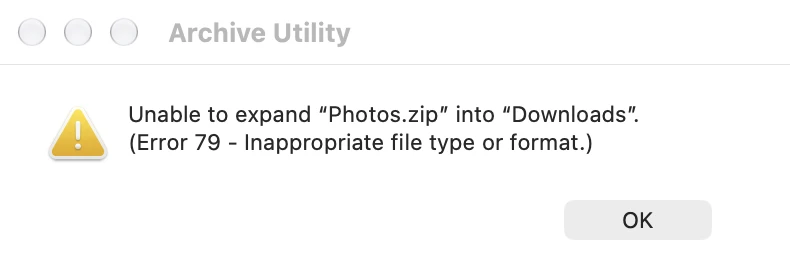
Error 79 usually means the ZIP is fine, but it was compressed in a way Archive Utility can’t read. Each file in a ZIP can be compressed with a different method. The usual one, Deflate, opens everywhere. On macOS 27.2, I tested every method 7-Zip and Python can write, and two gave Error 79:
- Deflate64, an older variant of Deflate. Windows’ built-in ZIP compression in File Explorer is reported to use it for some very large ZIPs, a few gigabytes or more.
- Zstandard, a newer method. WinZip’s
.zipxfiles can use it, and so can Python 3.14.
Archive Utility extracted nothing from either, and it read the other methods (bzip2, LZMA, PPMd and XZ) without trouble.
Other problems give different messages. A damaged or cut-off ZIP gives
Error 94. A file that isn’t
a ZIP at all (a RAR renamed to .zip, a web page saved with a .zip name,
an empty file) gives “It is in an unsupported format”, with no number.
Check which method it uses
Terminal’s zipinfo lists the compression method of each file in the ZIP:
zipinfo -v ~/Downloads/Photos.zip | grep "compression method"If the name has spaces, type everything up to zipinfo -v , drag the ZIP
into the Terminal window, then type the rest.
zipinfo says | Method | Free fix |
|---|---|---|
deflated (enhanced-64k) | Deflate64 | unzip, built in |
unknown (93) | Zstandard | 7-Zip from Homebrew |
deflated, none (stored) | Ordinary | Try unzip (below) |
A line for a folder inside the ZIP always says none (stored); look at the
lines for the files. bzipped, LZMA-ed, PPMd-ed and unknown (95) (XZ)
opened fine in Archive Utility. unknown (99) means the files are
encrypted: see Password-protected ZIPs.
Don’t use tar for either method. The built-in tar prints the same
“Inappropriate file type or format” error, but still writes every file at
full size, filled with zeros. The files look complete and aren’t.
Deflate64: use unzip
Terminal’s built-in unzip reads Deflate64. It extracted my test ZIP and
every file matched the original:
mkdir -p ~/Desktop/extracted
unzip ~/Downloads/Photos.zip -d ~/Desktop/extractedZstandard: use 7-Zip
None of the tools built into macOS can read a Zstandard ZIP:
unzipskips every file (“need PK compat. v6.3 (can do v4.5)”).dittosays “Unknown compression type”.tarfails, as above.
7-Zip’s free command-line tool, from Homebrew, extracted my test ZIP and every file matched the original. It also reads Deflate64:
brew install sevenzip
mkdir -p ~/Desktop/extracted
7zz x ~/Downloads/Photos.zip -o"$HOME/Desktop/extracted"If someone sent you the file, you can also ask them to save it again as an
ordinary ZIP, not .zipx or Zstandard.
The Unarchiver’s command-line tool, unar 1.10.7, extracted the Deflate64
ZIP but not the Zstandard one (“File is not fully supported”). I didn’t test
The Unarchiver app itself, Keka or BetterZip.
With Purrchiver
Purrchiver 1.1 opened both test ZIPs, Deflate64 and Zstandard, listed their files and passed Verify. Opening and extracting ZIPs is free in Purrchiver.
When it’s an ordinary ZIP
One person reported Error 79 on ZIPs that use ordinary Deflate and that
Terminal’s unzip opens fine, in this Apple Community
thread, on macOS 12.6 and
10.15.7. Nobody there found the cause, and I couldn’t reproduce it on macOS
27.2. Test the ZIP, then extract it with unzip:
unzip -t ~/Downloads/Photos.zip
mkdir -p ~/Desktop/extracted
unzip ~/Downloads/Photos.zip -d ~/Desktop/extractedIf unzip -t reports errors, the ZIP is damaged: see
“Error 94 - Bad message” for
getting back the files that are still intact.
Password-protected ZIPs
For my password-protected test ZIPs (AES-256 and the older ZipCrypto), Archive Utility asked for the password rather than showing Error 79. I didn’t test what happens after a password is entered. If an encrypted ZIP won’t open, see Can’t open a password-protected ZIP.

Free forever to open and extract anything. $9.99 once for the advanced tools. No trial, no subscription.