
coreydaley.dev

Secret Store — API key and recovery code manager for Mac, iPhone and iPad

Apple’s keychain. Apple’s encryption.
Your secrets.

The same iCloud Keychain behind Apple’s Passwords app — now for everything that isn’t a login.

API keys, recovery codes, private notes, SSH keys, GPG keys, and more. Free on Mac, iPhone and iPad.

Everywhere

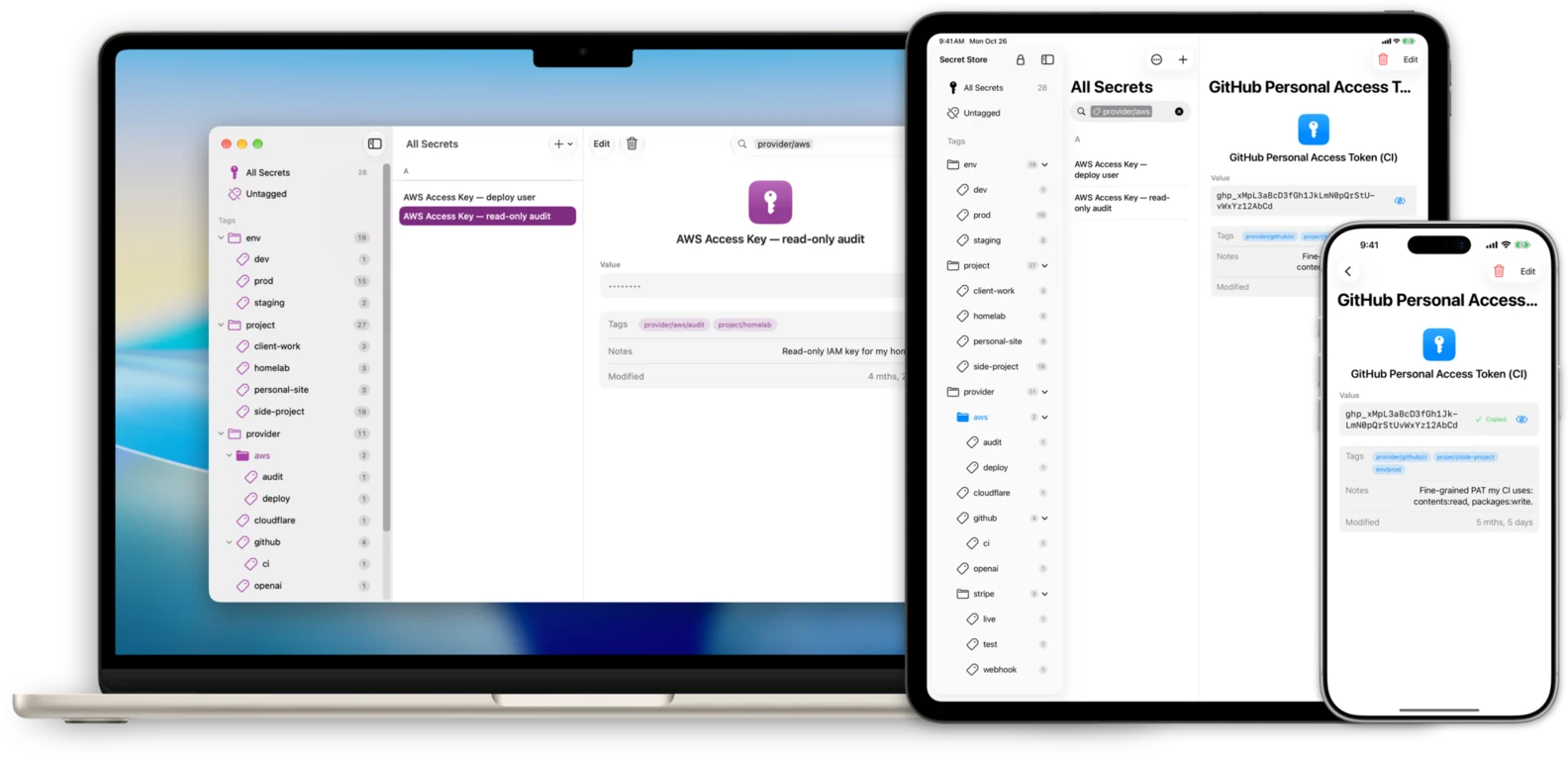
One app for Mac, iPhone and iPad.

Add a key on a Mac and it’s on iPhone and iPad a moment later, synced by iCloud Keychain. No account, nothing to sign in to.

A MacBook, iPad and iPhone, each showing Secret Store’s tagged secrets
  • Synced by iCloud Keychain

    The same end-to-end encrypted sync Apple uses for passwords. No Secret Store server in between.

  • Touch ID and Face ID

    Unlock with Touch ID on a Mac, Face ID or Touch ID on iPhone and iPad, or the device passcode.

  • One free download

    The same app on all three, with no in-app purchases and no limits.

What Secret Store does

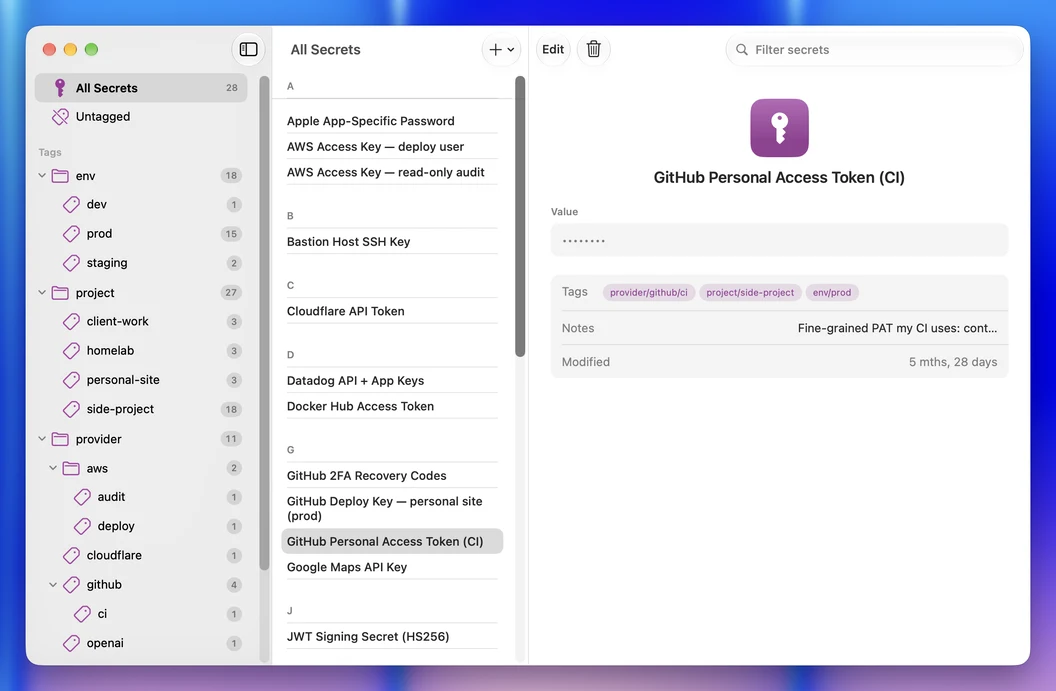
Secret Store’s main window: a tag tree, an alphabetized list of secrets, and the selected secret’s masked value

Everything in one place.

API keys, access keys, database tokens, backup codes — the credentials that don’t belong in a password manager’s login form. Each one named and alphabetized in the sidebar, a search field away when the list grows. Select one to see its details; the value stays masked until you ask.
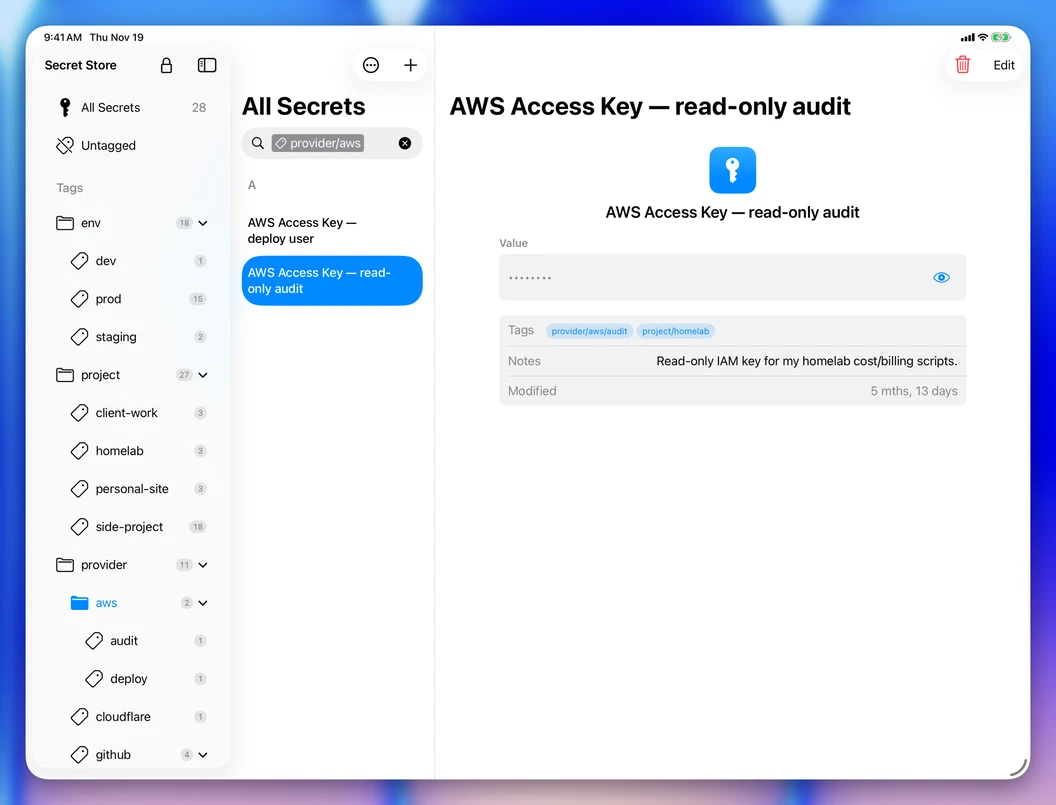
Secret Store on iPad: a sidebar tag tree with env and project groups, the list filtered by the provider/aws tag

Organized the way you think.

Tag secrets by service, project or environment, and nest tags with a slash — provider/aws/deploy. The sidebar turns them into a collapsible tree with counts; click a few tags to narrow the list to secrets that have all of them, or a group to see everything under it.

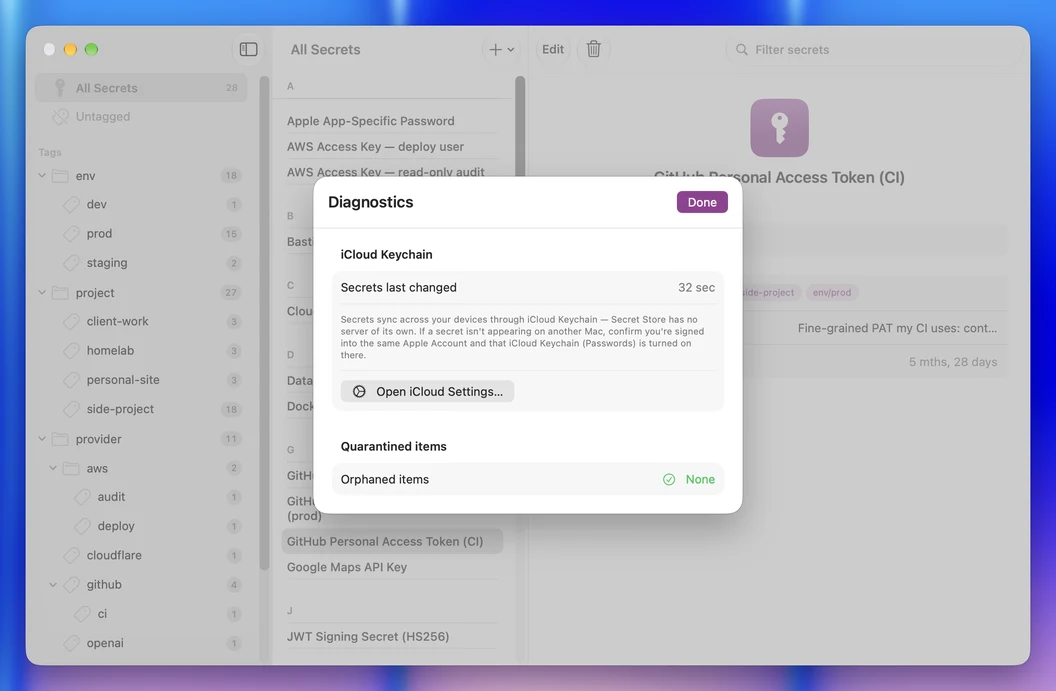
Secret Store’s Diagnostics sheet showing when secrets last changed and no orphaned items

Backed by Apple’s iCloud Keychain.

Secret Store doesn’t roll its own vault — your secrets live in Apple’s iCloud Keychain, the same end-to-end encrypted store as your Safari passwords. Built-in diagnostics show when your secrets last changed and confirm nothing’s been left orphaned, so you can see for yourself that the store is healthy. No account, no server, nothing to configure.

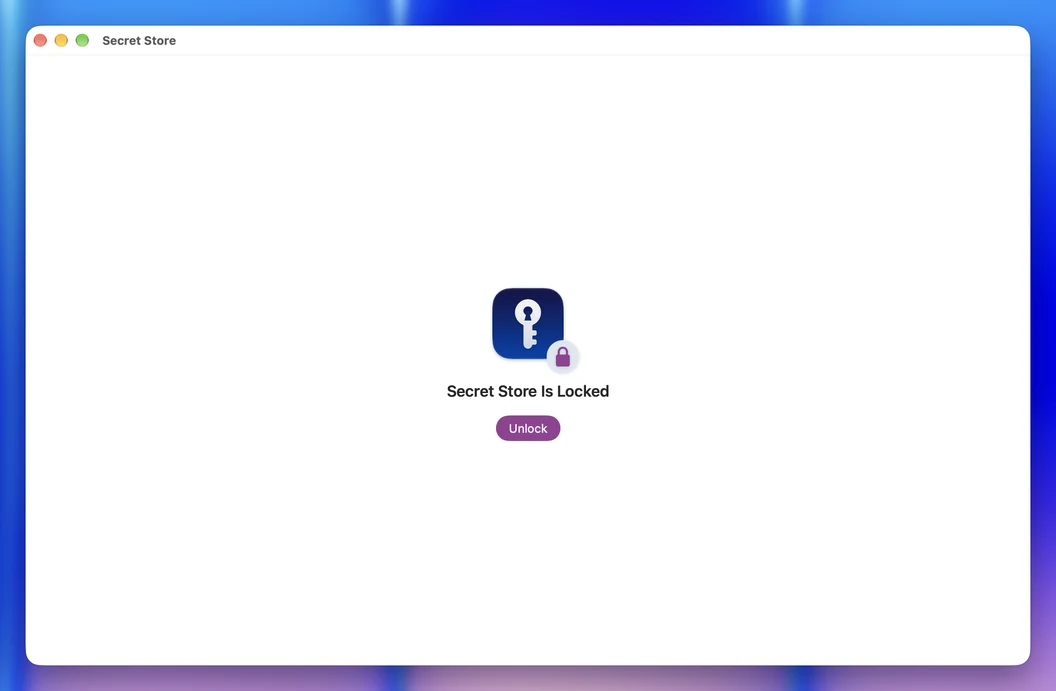
Secret Store’s lock screen reading 'Secret Store Is Locked' with an Unlock button

Locks itself when you’re away.

Leave Secret Store idle for five minutes and it locks itself — the same inactivity timeout Apple’s Passwords app uses — plus the moment your screen sleeps or locks. Switch to another app mid-reveal and any visible value re-masks right away, so a Mission Control thumbnail never catches plaintext. Or lock it yourself the instant you want to.

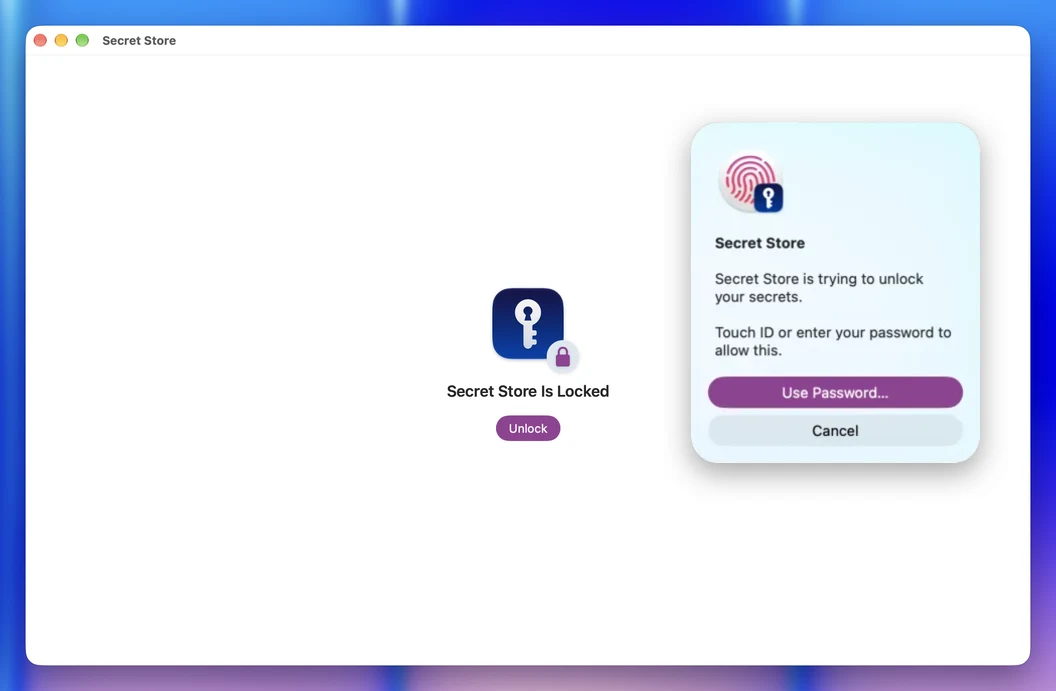
The macOS Touch ID prompt asking to unlock Secret Store, with a Use Password option

Your fingerprint is the key.

Unlocking runs through the system itself — Touch ID or your login password on a Mac, Face ID, Touch ID or your passcode on iPhone and iPad. The same gate that guards your device guards your secrets, and there’s no separate Secret Store password to forget or for anyone to phish.

What goes in

For everything that isn’t a login.

Secret Store holds the sensitive strings a password manager’s login form can’t — and leaves the rest to the apps that already do them well.

Goes in Secret Store

  • API keys & access tokens
  • OAuth & app client secrets
  • Database & connection strings
  • Two-factor recovery & backup codes
  • SSH & GPG keys
  • License keys & private notes

Belongs elsewhere

  • Website logins — Passwords app
  • Credit card numbers — Apple Wallet
  • Passkeys — iCloud Keychain
  • Files, documents & certs — iCloud Drive
  • Photos or scans — Photos
  • Shared team secrets — Passwords shared groups

Security & privacy

The vault isn’t ours. That’s the point.

Secret Store doesn’t store, sync, or encrypt anything itself — your secrets live entirely in Apple’s iCloud Keychain, the same end-to-end encrypted store that holds your passwords. No Secret Store server to breach, no homegrown crypto to trust. I never see your secrets, and neither does anyone else.

  • End-to-end encrypted by Apple.

    Secrets live in iCloud Keychain, encrypted on the device and synced through the same end-to-end channel as Safari passwords. The data is sealed before it ever leaves the device.

  • No account, no server.

    There’s no Secret Store account to create and no Secret Store server holding data that could leak. Sync rides the iCloud Keychain already on the device — nothing passes through Secret Store.

  • Zero vendor cryptography.

    Secret Store never rolls its own crypto, wraps data, or derives its own keys. The encryption guarantee belongs entirely to Apple’s keychain — there’s no homegrown scheme to trust.

  • Doesn’t phone home.

    No analytics, no tracking pixels, no third-party SDKs. The app has no general network entitlement at all — there’s no channel for secrets to leak out of.

  • Copies clear themselves.

    A copied secret is wiped from the clipboard 90 seconds later, unless something else has been copied since. The copy is also flagged so clipboard managers and clipboard history skip it, and it stays on the device it was copied on instead of riding Universal Clipboard — a value pasted once doesn’t linger for the next thing that reads the clipboard.

  • Locked behind Touch ID and Face ID.

    Unlocking checks Touch ID, Face ID or the device password. On a Mac the vault auto-locks after five idle minutes — the same timeout as Apple’s Passwords app — and whenever the screen sleeps or locks; on iPhone and iPad a privacy cover hides it in the app switcher. Any revealed value re-masks the moment the app loses focus.

  • Delete means deleted.

    A deleted secret is gone from the keychain, and the deletion syncs through iCloud Keychain like any other change. There’s no Secret Store server keeping a copy, so nothing lingers after a delete.

  • Sandboxed, least privilege.

    App Sandbox and Hardened Runtime are on. Secret Store can only read files that are explicitly chosen, and nothing more — no ambient filesystem access, no surprises.

Corey Daley

Built by Corey Daley

Made by one person. No team. No exit strategy.

I’m not an app farm. I’m not a marketing team. Email goes directly to me. If something’s broken, I’m the one who fixes it. If you have a feature request, I’m the one who reads it.

corey@coreydaley.dev

Pricing

Free

No in-app purchases, no subscription, no limits.

  • Unlimited secrets, no time limit
  • File import, backups and tags
  • One app for Mac, iPhone and iPad
  • No account, ads or tracking
Download on the App Store