
Webhook capture
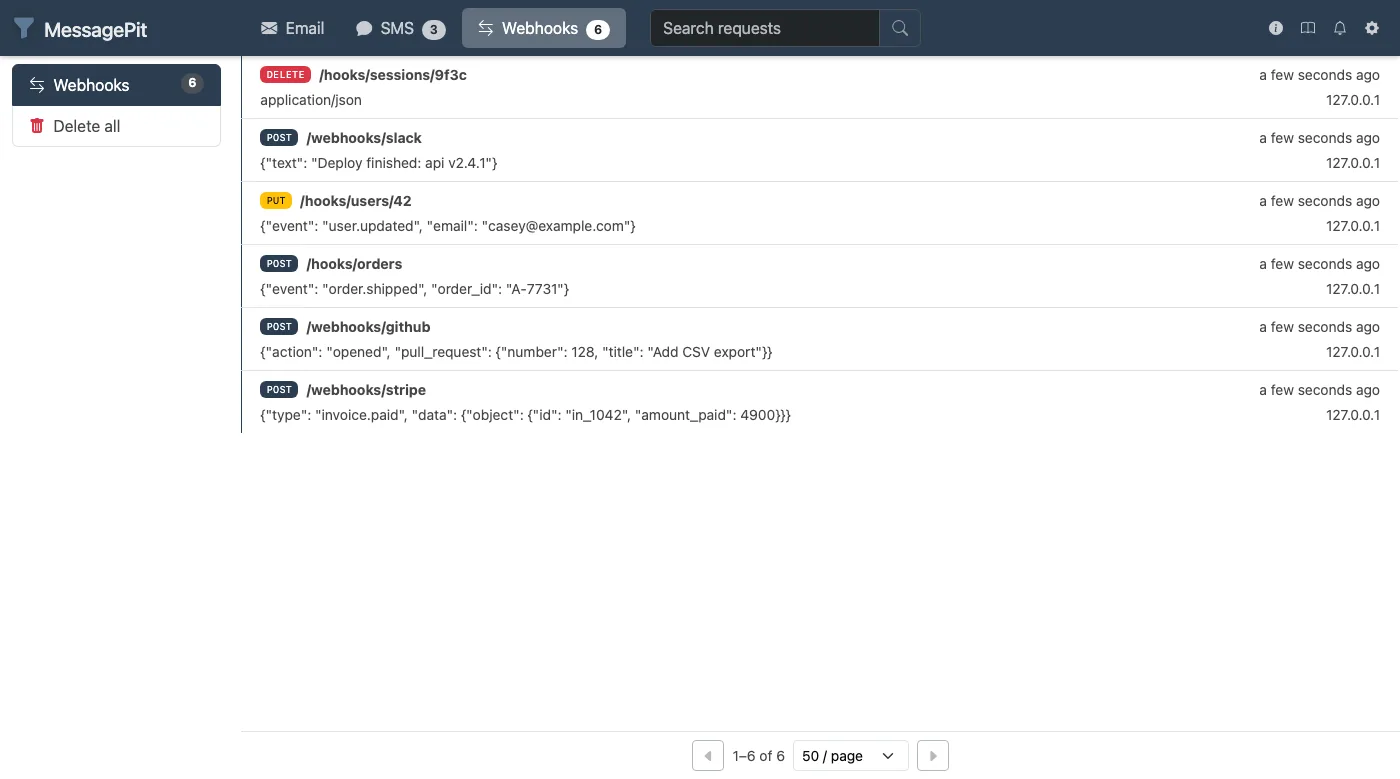
MessagePit runs a dedicated HTTP server (port 8300 by default) that accepts any incoming HTTP request on any path and method, stores it, and displays it in the Webhooks tab of the UI. This is useful for developing and testing outbound webhook delivery from your application without needing a public endpoint.
Point your webhook URL at the capture server:
http://localhost:8300/any/path/you/likeAny HTTP method works: POST, GET, PUT, PATCH, DELETE. The full request (method, path, headers, body and source IP) is captured and displayed in real time via WebSocket.
The capture server is enabled by default. Pass --webhook "" to disable it. (Setting MP_WEBHOOK_BIND_ADDR="" does not disable it — an empty environment variable is ignored and the default is used.)
Webhook capture API
| Method | Path | Description |
|---|---|---|
| GET | /api/v1/webhooks | List captured requests (paginated) |
| GET | /api/v1/webhooks/search | Search captured requests |
| GET | /api/v1/webhook/{id} | Get a single captured request |
| DELETE | /api/v1/webhook/{id} | Delete a single captured request |
| DELETE | /api/v1/webhooks | Delete all captured requests |