Use a Create ML model in your app
Drag the .mlmodel file into your Xcode project and add it to your app
target. When you build, Xcode does two things with it: it compiles the
model into an .mlmodelc folder inside the app, and it generates a Swift
class with the model’s name. For FlowerClassifier.mlmodel you get a
FlowerClassifier class; for SupportClassifier.mlmodel, a
SupportClassifier class.
I tested this with a small SwiftUI app that classifies four bundled photos and a support message.
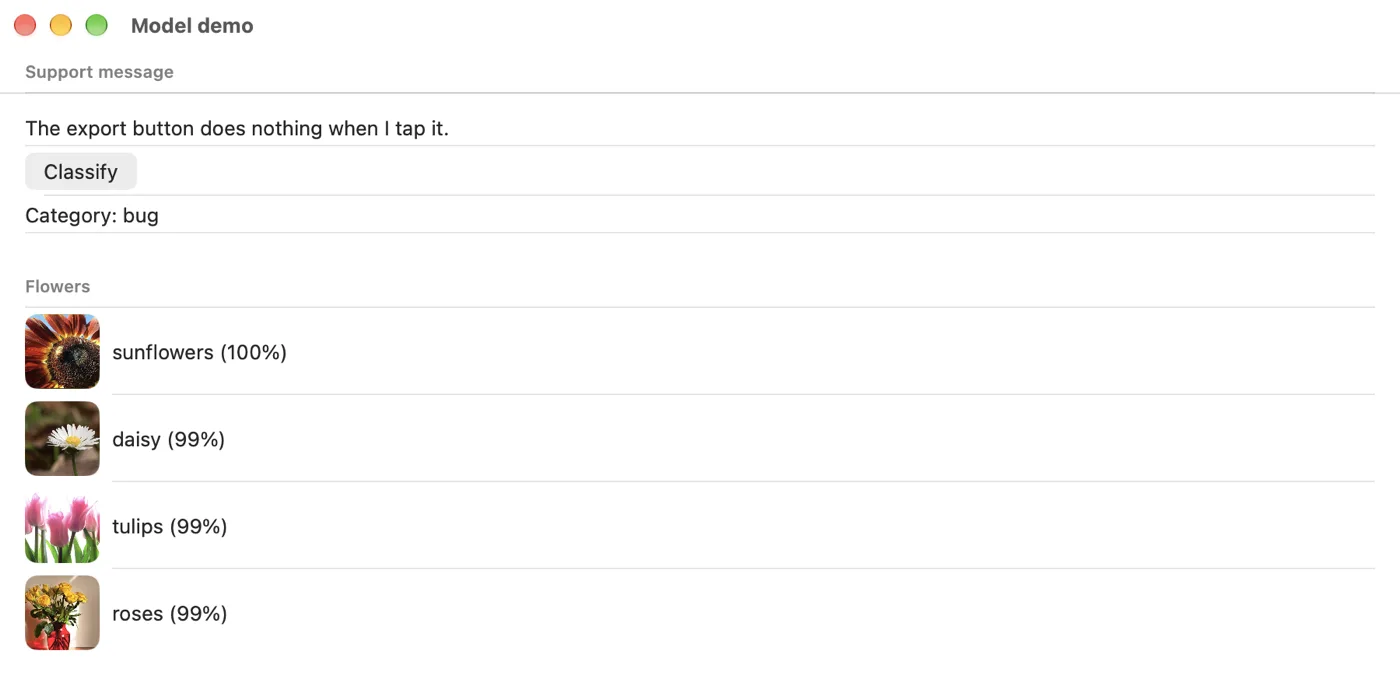
Flower photos from the TensorFlow flowers dataset, CC BY 2.0, cropped: tulips and roses by liz west (1, 2), sunflowers by Don Graham, daisy by Jan Fidler.
Images: use Vision
You can call the generated class directly, but Vision is the usual way to run an image model: it takes images in many forms and handles scaling and cropping, with settings for how. On macOS 15, iOS 18 and later, Vision has a Swift API for Core ML models:
import CoreML
import Vision

let model = try FlowerClassifier(configuration: MLModelConfiguration()).model
let request = CoreMLRequest(model: try CoreMLModelContainer(model: model))

let observations = try await request.perform(on: photoURL)
if let top = (observations as? [ClassificationObservation])?.first {
    print(top.identifier, top.confidence)   // sunflowers 1.0
}perform(on:) also takes a CGImage, CIImage, CVPixelBuffer or image
Data.
Without Vision, the generated class works too:
let flowers = try FlowerClassifier(configuration: MLModelConfiguration())
let output = try flowers.prediction(input: FlowerClassifierInput(imageAt: photoURL))
print(output.target, output.targetProbability[output.target] ?? 0)Text: use Natural Language
A text classifier from Create ML loads straight into Natural Language’s
NLModel:
import CoreML
import NaturalLanguage

let support = try NLModel(mlModel: SupportClassifier(configuration: MLModelConfiguration()).model)
support.predictedLabel(for: "My invoice shows the wrong tax amount.")   // "billing"
let top2 = support.predictedLabelHypotheses(for: "Can you add a widget for the home screen?", maximumCount: 2)
// ["feature_request": 0.35, "bug": 0.25]predictedLabelHypotheses returns the top labels with their scores. With
only 150 training examples, the scores are low even when the label is
right, so don’t treat them as percentages you can rely on.
The Simulator didn’t work for the image model
On the iOS 27.1 Simulator, the text model worked but the image model didn’t: Vision logged “Could not create inference context” and no label ever came back, whether I used Vision or the generated class, and with the model set to run on the CPU only. The same code ran fine as a Mac app, and from a command-line script. I didn’t have a real iPhone to test on. If you hit this, test image models on a device or in a Mac build.
Size and speed
- Compiled, the flower model is about 70 KB and the text model about 12 KB. The image model is small because it uses the feature extractor that’s built into the OS.
- On my Mac, the text model made 1,000 predictions in about 40 milliseconds, 0.04 ms each.
Related
- Train an image classifier
- Train a text classifier
- The fm command, for Apple’s own on-device language model.