Make a Mac app work in the App Sandbox
What the Mac App Sandbox blocks, which entitlements you need, and each failure's cause and fix, from building Purrchiver, a file-heavy archive app.
A sandboxed Mac app can use its own container and whatever the person hands it, and little else. Most of the work is one idea: a grant covers what was picked, not the folder around it. Several of the sandbox bugs in Purrchiver’s history come down to that.
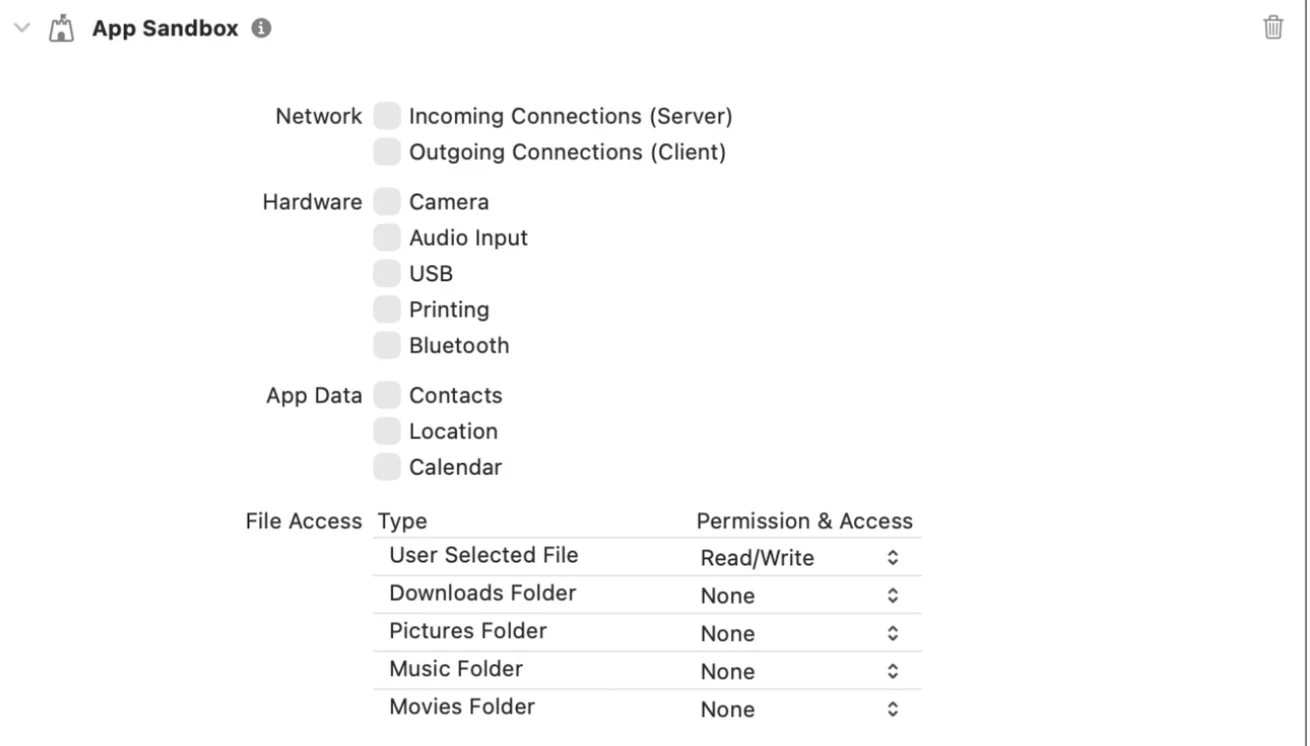
You probably need fewer entitlements than you think. Apple requires the sandbox for the App Store. Purrchiver reads and writes archives wherever the person points it with two entitlements, and its Quick Look extension has one. I read these from the App Store build of Purrchiver 1.1, on macOS 27.2:
| Target | Sandbox entitlements in the signed build |
|---|---|
| Purrchiver.app | com.apple.security.app-sandbox, com.apple.security.files.user-selected.read-write |
| Quick Look extension | com.apple.security.app-sandbox |
It has no network entitlement, though it sells an in-app unlock through StoreKit. It has no Downloads entitlement, no bookmark entitlement and no Hardened Runtime exceptions.
This guide is for developers. If you’re looking at a prompt on your own Mac, you want Mac permissions instead.
Find your symptom
| What you see | Cause | Fix |
|---|---|---|
Writing next to a picked or dropped file fails (“Failed to open … for writing”, or EPERM) | The grant covers the file, not its folder | Ask with a Save panel, or use a related item |
| The other parts of a split file can’t be read | Only the part they picked was granted | Ask for the folder |
| Work beside a Save panel’s file fails, though the panel succeeded | A Save panel grants the name it returns, not the folder | Work in temp, then copy to that name |
Writing photos.zip.sha256 was refused in Purrchiver, photos.sha256 wasn’t | One measurement in this app, on macOS 27: the written name that worked kept the file’s name and changed only the extension | Replace the extension |
| A related item with a good name is refused | Check the declaration: role None was refused in one measurement in this app | Declare it, with role Editor |
| It works in your tests and fails for people | The test files sit in the app’s own container | Test from outside it, through a real panel |
| A saved path, or a restored window, stops working after a relaunch | A path doesn’t carry a grant | Store a bookmark, or ask again |
| A bookmark resolves but the file can’t be read | Resolving doesn’t start access | Call start, then stop |
| After a long run, panels and bookmarks stop adding access | Leaked access; a relaunch clears it | Balance every start with a stop |
hdiutil attach fails with “Device not configured” | A sandboxed app can’t mount a disk image | Use a command that doesn’t mount |
| An embedded tool crashes at launch with a code signing error | The tool has other entitlements too | Sign it with only the two Apple lists |
| App Review rejects under 2.4.5(i), and your output is in your container | Output sits where nobody can reach it | Hand back data, and delete the temp copy |
| Quick Look previews leave files behind | The extension can be killed mid-preview | Sweep on the next preview |
| The project looks clean, the signed app has an extra capability | A build setting added it | Read the signed app |
EPERM or EACCES, and no denial in the log | Probably not the sandbox, if you searched right after reproducing it | Check the other causes |
In this guide
- Reach the person’s files: panels, drag and drop, folders, bookmarks, and when to stop access.
- Write a file next to the one they picked: related items and the naming limit.
- Temp, helper tools and extensions: the container, external commands, Shortcuts and Quick Look.
- Check entitlements and find a denial:
codesign, Console and testedlogpredicates.
What went wrong along the way
- The code assumed a parent folder came with the file. Create Archive used to build its output path next to a dragged-in file, and failed for anyone who did that. A later change said extracting beside an archive was fine because the parent was “inside the scope”. It isn’t when one file was picked. Decompress and Decrypt had the same bug until shortly before 1.1.
- App Review rejected 1.0 under guideline 2.4.5(i). My notes on it point to Shortcuts actions that returned files from the sandbox’s temp folder, which stayed in the container.
- My tests passed where the limit doesn’t apply. Fixtures in the app’s own container said nothing about a file in Downloads.
- The conventional checksum name didn’t work for writing. A probe in this app refused it, and that’s why Purrchiver writes the shorter name. The related items page says how far that evidence goes.
What I tested, and what I didn’t
On a Mac with macOS 27.2 and Xcode 27.2, I ran codesign and plutil against
the installed App Store build of Purrchiver 1.1 (build 116), ran the log
predicates against real denials from other apps on that Mac, and type-checked
the Swift on these pages with swiftc -typecheck.
I didn’t run a sandboxed test program for this guide. The first launch of one
creates a container in ~/Library/Containers, and I wanted these tests to
leave nothing behind. Panel behavior needs a real panel too. So anything about
what the sandbox allows or refuses comes from Apple’s documentation, or from
Purrchiver’s code, tests and commit history, and each page says which.
Everything from Purrchiver here shipped by 1.1; the 1.1.1 changes since then
don’t touch sandbox behavior.