
Importing files as secrets
Importing files as secrets
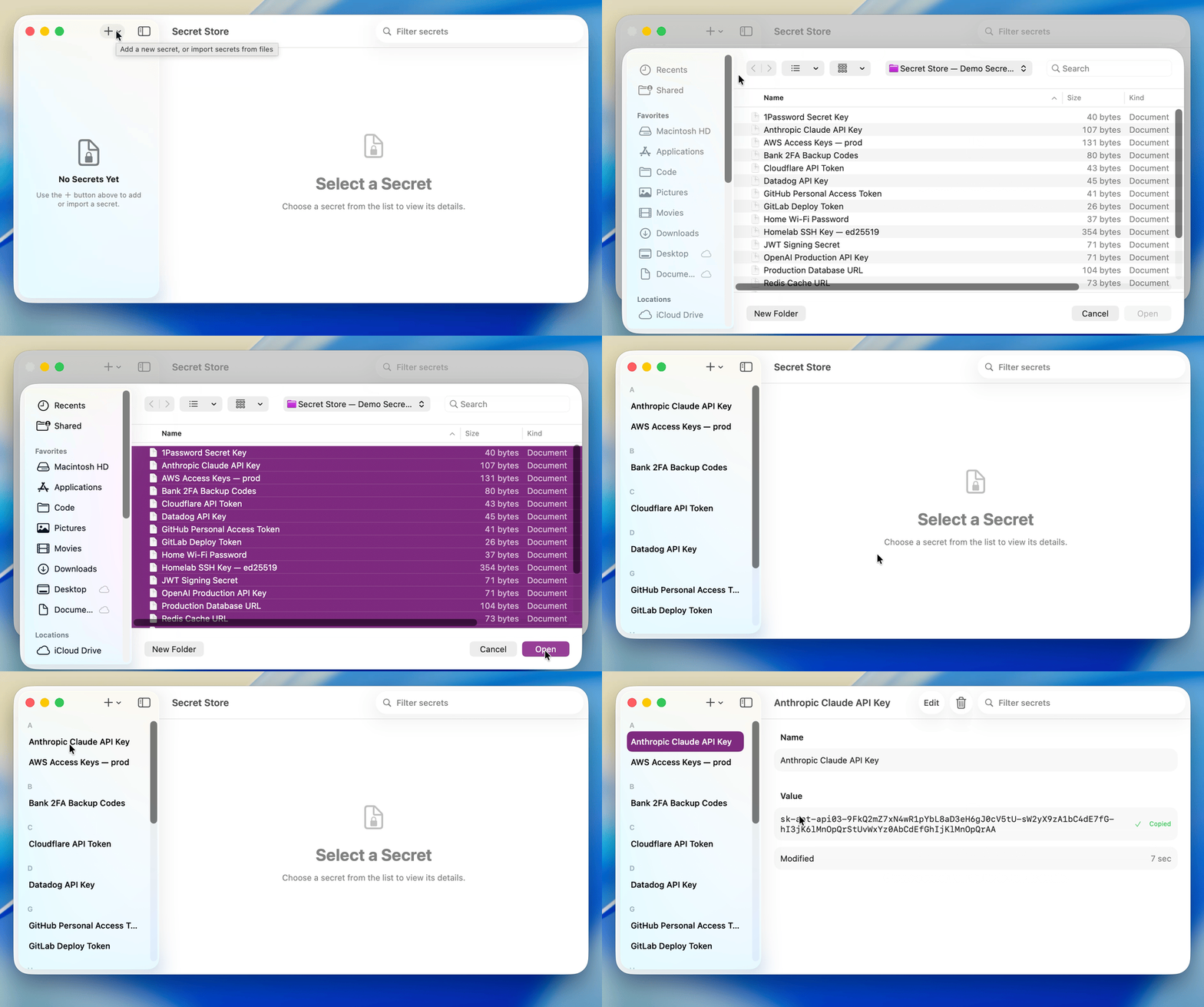
On a Mac, choose Secrets ▸ Import from Files… (⇧⌘I), or click + in the toolbar and choose Import from Files…. On iPhone and iPad, tap + and choose Import from Files…. Pick one or more files. Each file becomes one new secret:
- The filename becomes the secret’s name.
- The file’s text becomes the secret’s value, verbatim.
Each secret’s value is capped at 128 KB. A plain-text file has to fit that
directly; an RTF, Word .docx, or PDF file can be larger (up to a few MB) as
long as the text it contains fits — Secret Store extracts that text first (see
the next section). Anything binary, empty, or whose text is too large is skipped
with a note, and the rest of the batch still imports.
Before anything is imported, a sheet shows how many secrets you’re about to create, with two options: New in 1.2
- Strip file extensions on import names each secret without its last
extension, so
api-key.txtimports asapi-key. Files with no extension, and dotfiles like.env, keep their names. - Tags stamps the same tags on every imported secret. See Organizing secrets with tags.
This is for bringing in arbitrary files. To bring back a Secret Store backup
you made with Back Up, use Restore instead — see
Backing up and restoring. (If you point this at a .aea
or .aar backup, Secret Store recognizes it and restores it for you.)
Importing from rich-text and document formats
Some files wrap their text in formatting or a document container. Stored
verbatim, that wrapper would leave you with an unreadable secret — for example an
RTF file is plain text under the hood, but surrounded by markup like
{\rtf1\ansi …} with font and color codes.
So when Secret Store recognizes one of these formats — on a bulk Import from Files… or when you use Import from File… in the New Secret sheet — it extracts the plain text, keeping the words and numbers and dropping the fonts, colors, layout, and container:
| Format | What’s extracted |
|---|---|
| RTF (TextEdit, many note apps) | The text, minus all formatting |
Word .docx | The document’s text (Mac only) |
| The text layer |
Everything else that’s already plain text — .txt, .json, .env, .csv,
keys, and so on — is imported exactly as-is.
This extraction is best-effort, so verify it:
- Reveal the imported secret and compare it to the original file before you delete the original. Confirm every character — codes, punctuation, and line breaks — came through. PDFs especially can shift spacing or line breaks when the text is pulled out of the page layout, and a scanned/image-only PDF has no text to extract.
- Files Secret Store can’t read as text (images, and other binary formats it doesn’t recognize) are skipped with a note, never imported as garbage.