
How to open .sit, .sitx and .hqx files on macOS
If you double-clicked a .sit or .sitx file and nothing on your Mac would
open it — or StuffIt Expander told you “the StuffIt Expander implementation
required for this operation is missing” — the file usually isn’t corrupt and
you haven’t done anything wrong. macOS has no built-in StuffIt support, and
StuffIt Expander itself is no longer maintained: its last update was in
December 2020, and people report that error on files that open fine elsewhere.
Here’s what works.
Open .sit and .sea files in Purrchiver 1.1
New in Purrchiver 1.1. If you don't see it, update Purrchiver from the App Store.
Purrchiver 1.1 opens StuffIt archives, free:
.sitand.seafrom classic StuffIt (1.5 to 4.5) and the StuffIt 5 format (StuffIt 5 to 8.x, and StuffIt 7 for Windows), with their folders.- Every compression method StuffIt used except three rare ones (6, 8 and 14, which none of the test archives use), including Arsenic, which the StuffIt 5 format uses for nearly every compressed file.
- Wrapped archives in one step: a
.sit.hqx(BinHex),.bin(MacBinary) or AppleSingle file opens straight to the archive inside. - Windows StuffIt self-extractors (
.exe) holding a.sit: Purrchiver reads the archive inside without running the program. The Unarchiver doesn’t open these. - Each file’s resource fork, type and creator are kept when you extract.
You can extract, test, preview with Quick Look, compare and convert them, and recover the intact files from a damaged one. They open read-only: to change one, convert it to a format Purrchiver can edit. Convert keeps resource forks, type and creator in the new archive, except in a ZIP with Strip macOS metadata on (the default for ZIP).
Purrchiver’s reader was checked against test archives made with StuffIt
itself (Mac versions on Mac OS 9 and Mac OS X, and StuffIt for Windows).
Every unencrypted .sit and .sea that The Unarchiver opens, plain or
wrapped in BinHex, MacBinary or AppleSingle, Purrchiver extracts to the same
bytes, resource forks included. The Windows self-extractors, which The
Unarchiver doesn’t open, give the same files as the .sit made alongside
them.
What 1.1 doesn’t open:
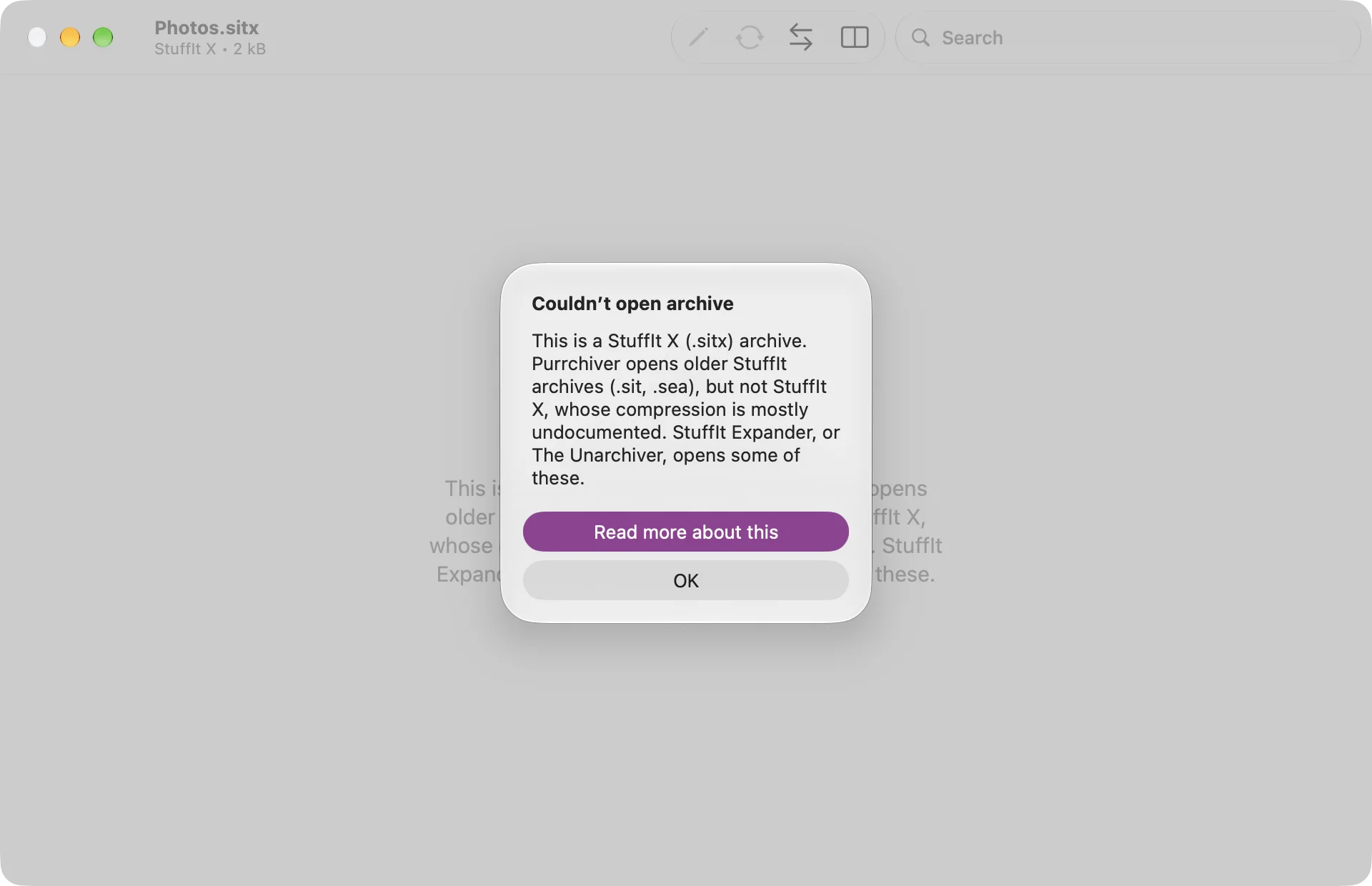
- StuffIt X (
.sitx). Most of its compression methods were never published. - Password-protected StuffIt archives. Purrchiver lists their files and tells you they’re encrypted, but StuffIt’s encryption isn’t documented either.
- A StuffIt X index (
.sidx). It only lists the contents of a.sitxsplit into segments, and holds no files itself. Purrchiver says so.
For those, try The Unarchiver, which opens some .sitx files (not all),
and StuffIt Expander.
Open it with The Unarchiver — free, two minutes
The Unarchiver is free on the Mac App Store and
extracts .sit and some .sitx files. It’s the first thing to try for
StuffIt X, and the answer for any StuffIt file until Purrchiver 1.1 is on
your Mac.
- Install The Unarchiver from the Mac App Store (one-time, free).
- Drag your
.sit/.sitxfile onto it. - The contents extract to the same folder as the archive.
- Use the extracted files normally.
Prefer Terminal? The Unarchiver’s engine also comes as a command-line
tool. With Homebrew, run brew install unar, then
unar yourfile.sit.
Without Purrchiver 1.1, if what you have is a .sit.hqx, the .hqx part is a BinHex text wrapper
that old Mac downloads often came in: macOS’s built-in Archive Utility
decodes it (Control-click ▸ Open With ▸ Archive Utility), and leaves you the
.sit inside.
When Purrchiver finds a StuffIt file it can’t read, it says what the file is and points here, rather than failing with a generic error.
If nothing opens it
- Check it’s really StuffIt. A
.sitextension on a file that isn’t a StuffIt archive will fail everywhere. Runfile yourfile.sitin Terminal. - Try StuffIt Expander. StuffIt Expander 16 is still listed free on the Mac App Store. It’s unmaintained and produces the error above for many people, but it’s the original implementation and occasionally reads a file other tools won’t.
- Check for a resource fork. Files copied off classic Mac media through a non-Mac filesystem can lose the resource fork and become unrecoverable.
What about the other old Mac formats?
If you’re going through an old archive, you’ll likely hit these too:
| Format | Purrchiver 1.1 | Also opens it |
|---|---|---|
.sit / .sea (StuffIt) | Extracts | The Unarchiver |
.sitx (StuffIt X) | Detects only | The Unarchiver |
.hqx (BinHex) | Extracts | Archive Utility (built in), The Unarchiver |
.bin / .macbin (MacBinary) | Extracts | Archive Utility (built in), The Unarchiver |
.ace (ACE) | Detects only | The Unarchiver |
.cpt (Compact Pro) | Not recognized | The Unarchiver |
Before 1.1, Purrchiver detects StuffIt, BinHex and MacBinary but doesn’t extract them. See Legacy & niche formats for the rest of the detected-but-not-extracted list, and Format support for everything Purrchiver reads and writes.
Why Purrchiver doesn’t open StuffIt X
StuffIt was the de facto Mac archive format from the late 1980s through the early 2000s, owned by Aladdin Systems and later Smith Micro. Smith Micro announced StuffIt’s end of life in December 2019.
Purrchiver’s StuffIt reader is its own, written from published descriptions
of the format: the pages on The Unarchiver’s wiki,
including Matthew Russotto’s description of Arsenic, and
compcol’s notes. Method 5 is a port
of compcol’s MIT-licensed decoder. It doesn’t use XADMaster, the LGPL engine
inside The Unarchiver. That works for .sit: its format and compression
methods have been written up.
StuffIt X is different. Most of its compression methods have never been
described anywhere except XADMaster’s source code, and one isn’t known at all.
StuffIt’s encryption is the same story. So for .sitx and password-protected
StuffIt files, Purrchiver says what the file is when it finds one, and The
Unarchiver or StuffIt Expander is the place to try.
If you have .sitx files you can’t open any other way, email
corey@coreydaley.dev and tell me where they
came from.
Related
- .sit, .sitx, and .hqx files on macOS — the whole old-Mac-backup picture in one place
- Format support — the complete list of supported and skipped formats
- Legacy & niche formats — everything detected but not extracted
- Common errors — all the other “X file won’t open” cases